Real Estate Marketing Guide

360 Virtual Tour vs Listing Video

Which one actually sells a property faster — and why you probably need both.

Marketing a home shouldn't be a trade-off. An interactive virtual tour and a listing video solve different problems — and the same 360° photo shoot can feed both. Keep your tour on the listing page, and turn the same panoramas into videos here for everywhere else.

Start for Free

The direct comparison

Two formats, two jobs in your marketing.

Interactive 360° Tour

Immersive exploration

Listing Video (MP4 / WebM)

Social & ad reach

Output
A clickable, navigable 360° space
A finished MP4 / WebM file
Where it lives
Embedded on the listing page / portal
Social feeds, YouTube, ads, email
Best for
Serious buyers exploring on-listing detail
Grabbing attention and driving discovery
Reshoot needed
Uses your 360° capture
None — reuses the same 360° photos
Distribution
People must open the listing
Pushed out to where buyers already scroll
panorama

When to use a virtual tour

Virtual tours are the right tool for exploration. Once a buyer is interested, they want to verify room flow and walk the space at their own pace — ideal for the serious buyer who is close to booking a showing.

  • check_circle On-listing exploration
  • check_circle Serious buyers who want to walk the space
  • check_circle Conveying true room flow and layout
play_circle

When to use a listing video

Listing videos are built for reach. They capture attention in the first few seconds of a scroll — perfect for Instagram Reels, TikTok, Facebook, and paid ads that bring new buyers into the funnel.

  • check_circle Social reach on Reels, TikTok, YouTube, Facebook
  • check_circle Paid ads and email marketing
  • check_circle A strong first impression that pulls buyers to the full listing

The smart move: do both from one shoot

The same 360° photos that power your virtual tour can become marketing videos here — no reshoot, no second site visit. Upload the equirectangular files you already have, add motion and overlays on the timeline, and export.

1

One capture, two assets

Shoot once with any 360° camera (Insta360, Ricoh Theta, GoPro MAX, DJI Osmo 360) and reuse those photos for both your tour and your videos.

2

No filming a walkthrough

Set the camera path and transitions on the timeline. The video is built from your panoramas — no gimbal or on-site filming.

3

Export sized for each platform

One-click presets for 9:16 (Reels/TikTok), 1:1 (feed), and 16:9 (YouTube).
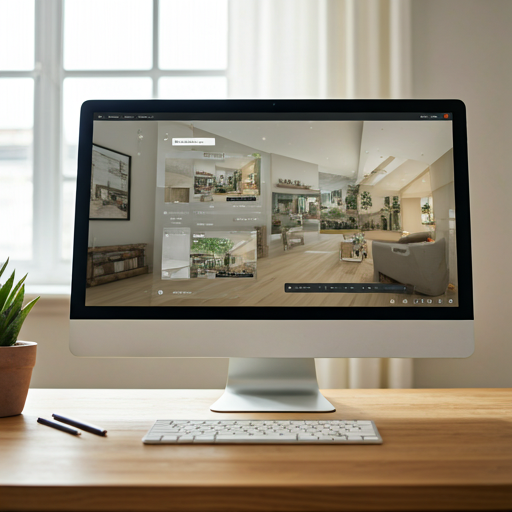
A 360° property tour shown on a desktop, alongside videos made from the same photos

Common questions

Do I have to choose one or the other?

No. Use a tour on the listing page and a video to drive attention to it. Both can come from the same 360° photos.

Can I reuse photos from my existing tours?

Yes. Upload the same equirectangular 360° photos (JPG or PNG) and turn them into MP4 or WebM videos — no reshoot.

What does it cost to try?

You can start free with no credit card. Free exports are 640×480 with 50MB of cloud storage; paid plans add more storage and higher resolution. See pricing.

Turn Your 360° Tour Photos Into Marketing Videos

Promote your listing across social media and ads — without setting foot back in the house.

Get Started Free

No credit card required